

Referrals
Share data between organisations using Akahu Apply referrals
How it works
Akahu Apply referrals allow a snapshot of Application data to be shared with another organisation that also uses Akahu Apply.
Referrals are designed to allow brokers, advisers, and introducers to seamlessly refer an Application to lenders without the need for manual processes or duplicate data collection.
Enabling referrals
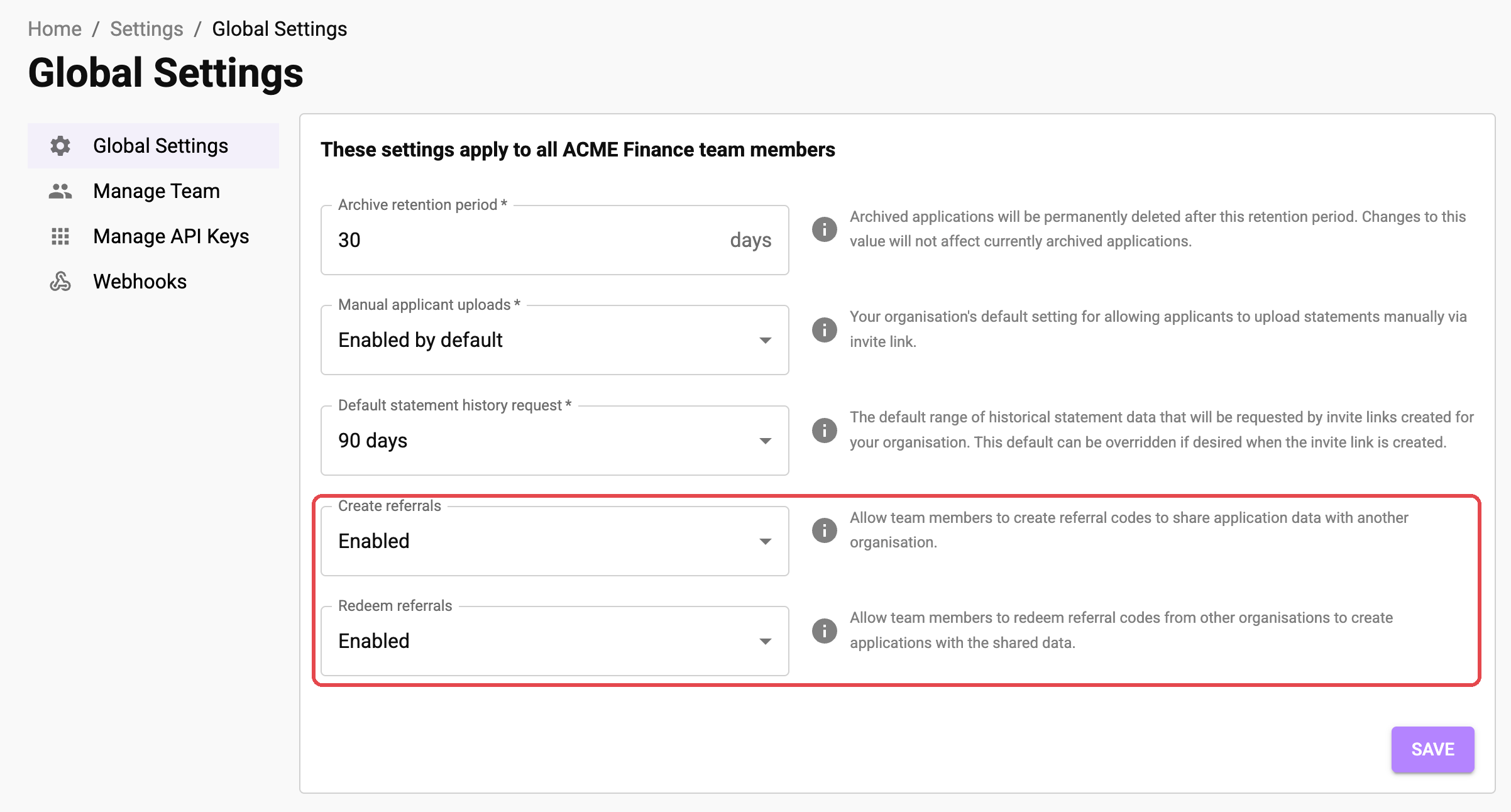
Referrals are controlled by two settings available to admins under Settings > Global Settings. Create referrals lets your team create referral codes, and Redeem referrals lets them redeem codes from other organisations. You can enable these independently.
Referring an application
A referral can be created for any active Application in your Akahu Apply account.
When a referral is created, a unique referral code will be generated (e.g. AK_A1B2C3D4E5). You can share this referral code with one or more other recipient organisations. Recipients can redeem your referral code via their own Akahu Apply account to access all data resources included in the Application. Each referral code can be redeemed multiple times by multiple recipient organisations. Referral codes expire 30 days after they're created.
When you create a referral, a snapshot is created containing all data and documents included in the Application at that point in time. If data is added or removed from the Application after creating a referral, these changes won't affect the data included in the referral snapshot. If you want to share newly added data or documents, create a new referral and share the updated code with your recipient.
Referral recipients will not receive a copy of your Report. Instead, a new Report is generated for them based on the specific configuration and customisations that have been set up for their Akahu Apply account.
Creating a referral via API
-
Create an Application and populate it with data. See our Workflows guide for more details.
-
Create a referral for the application using the
POST /v1/applications/{applicationId}/referralsendpoint. -
Save the
codereturned for the referral and share this code with your intended recipient.
Creating a referral using the Akahu Apply portal
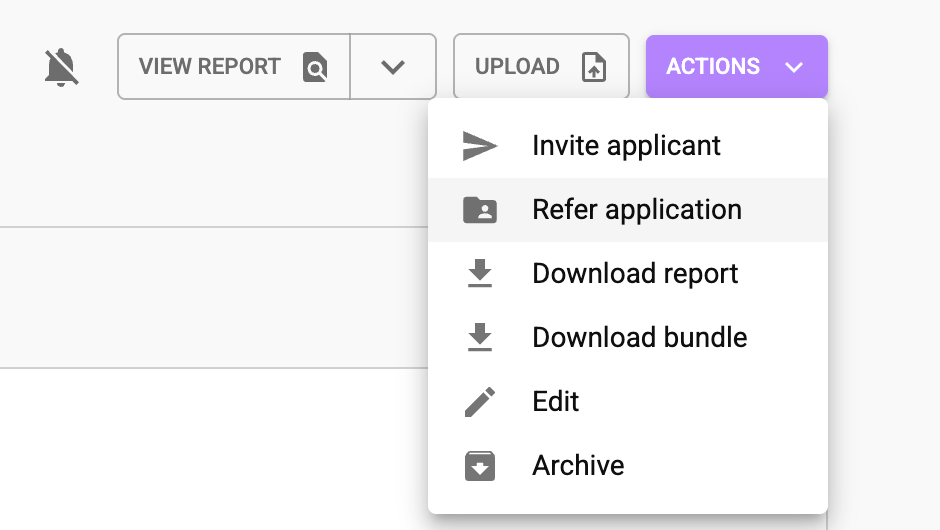
- Open the Application you want to refer and in the Actions menu, select Refer application. Alternatively use the New referral button in the Referrals tab.
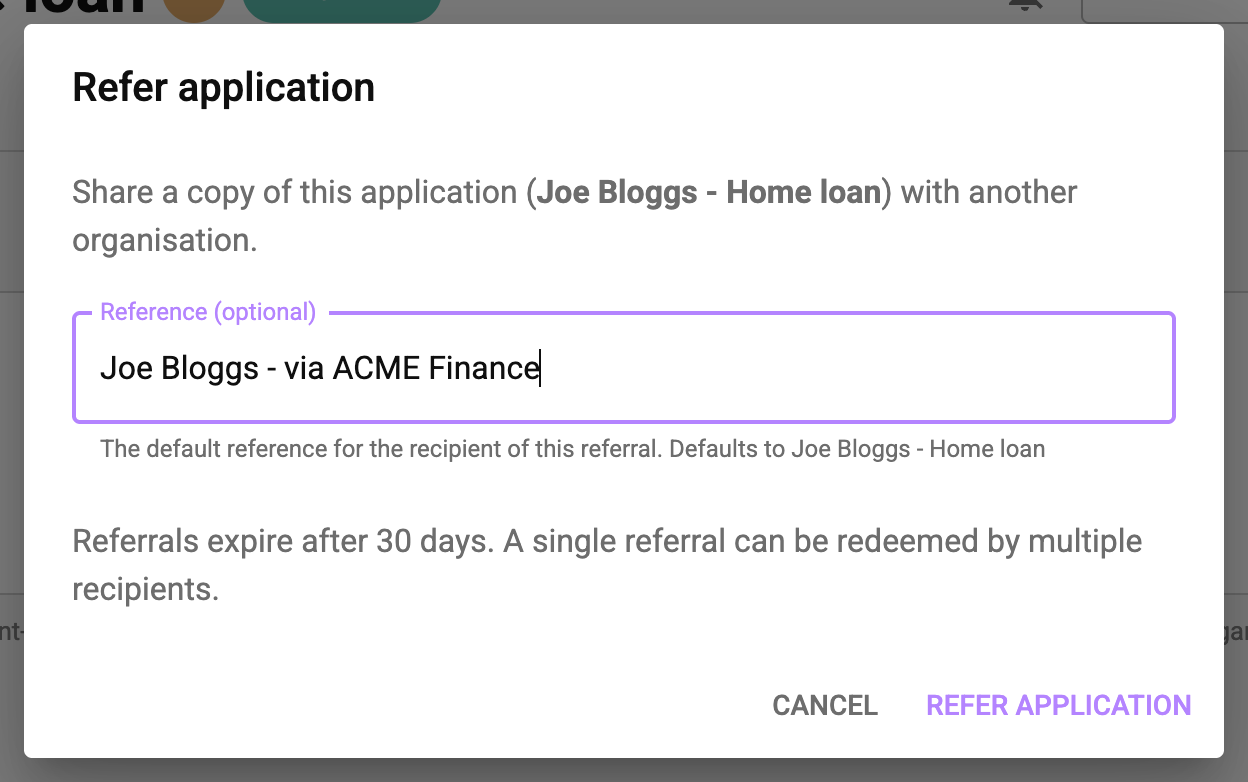
- Optionally enter a reference. This becomes the default reference for the Application the recipient creates when they redeem the code. If you leave it blank, your Application's existing reference is used.
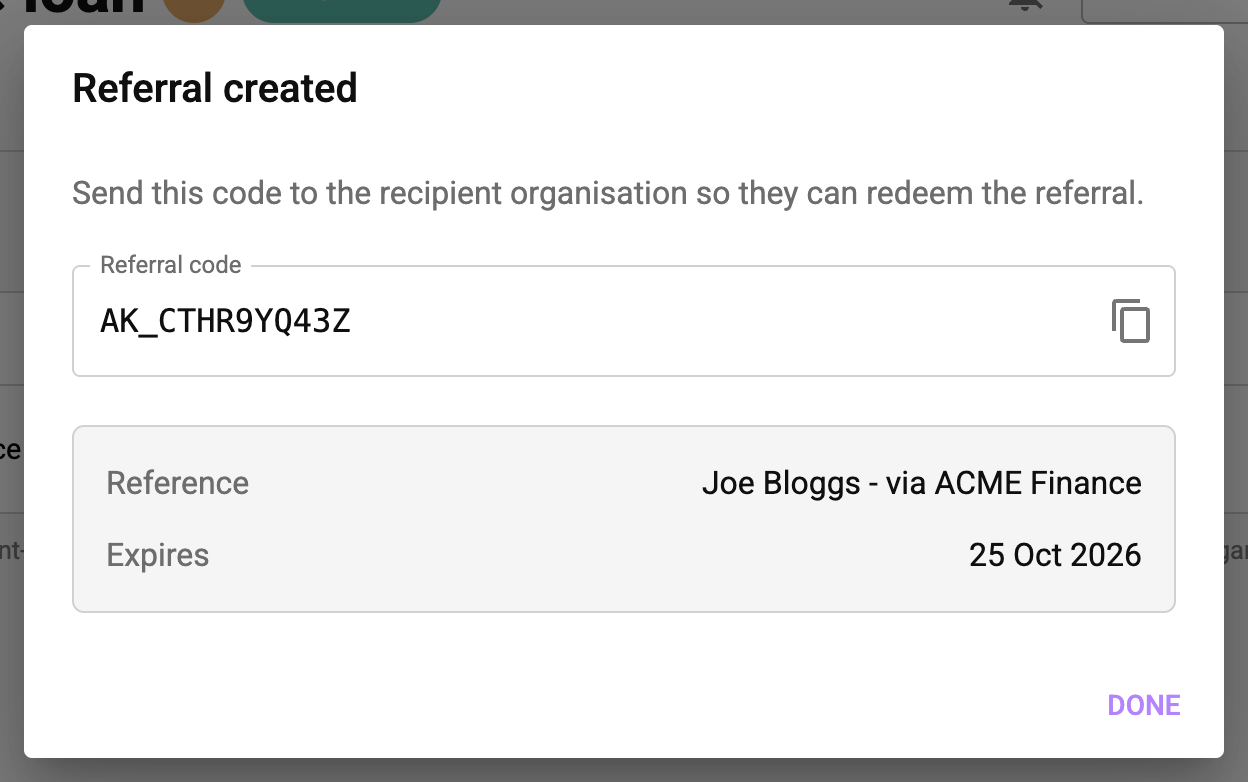
- Click Refer application, then copy the referral code and send it to the recipient organisation.
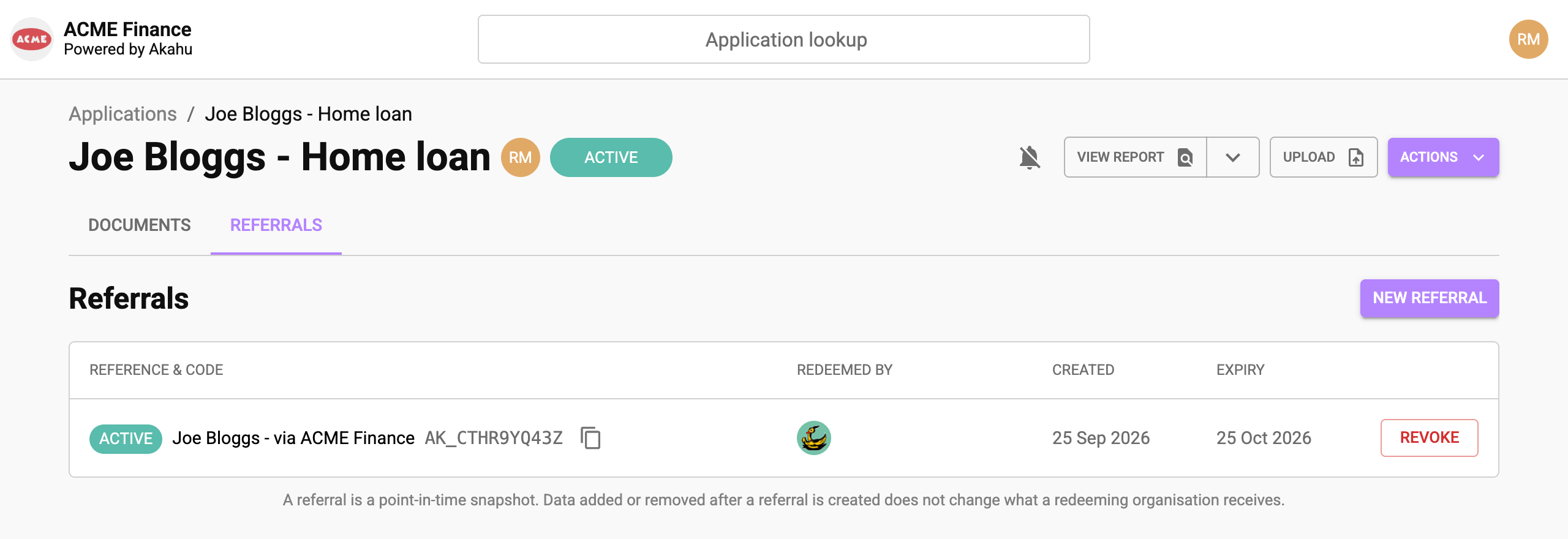
The Referrals tab lists every referral created for the Application, along with its referral code, the organisations that have redeemed it, and when it expires.
Revoking a referral
Referrals expire automatically after 30 days. However, if you would like to prevent new redemptions of a referral before
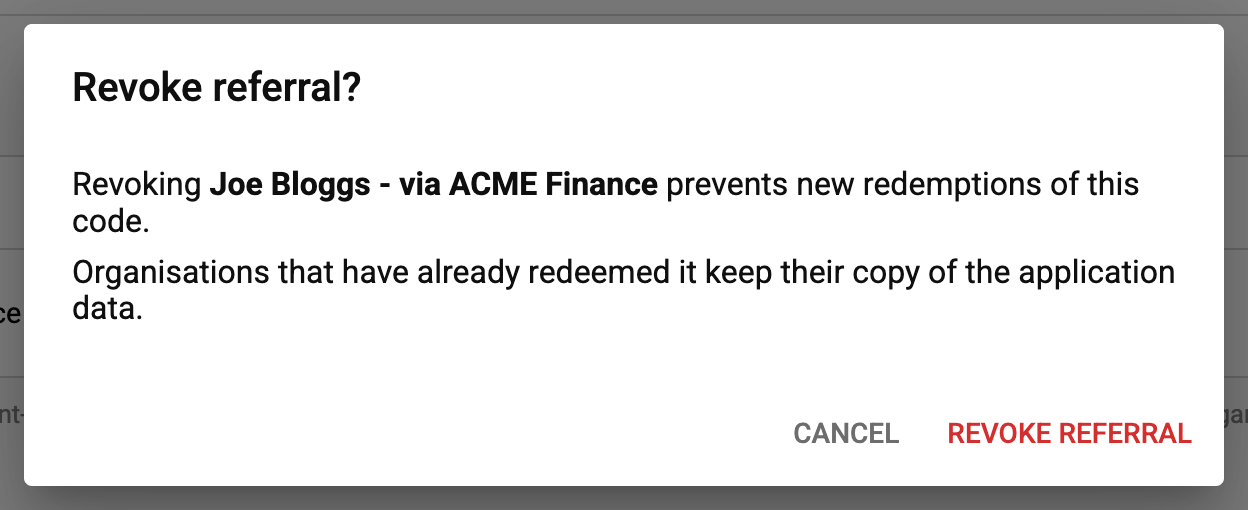
30 days you can revoke them. Revoking a referral cannot be undone. Organisations that have already redeemed the referral keep their copy of the Application data.
Revoking a referral via API
-
Find the ID of the referral you want to revoke using the
GET /v1/applications/{applicationId}/referralsendpoint. -
Revoke the referral using the
PUT /v1/applications/{applicationId}/referrals/{referralId}/revokeendpoint.
Revoking a referral using the Akahu Apply portal
Click Revoke next to the referral on the Referrals tab.
Redeeming a referral
When you receive an Akahu Apply referral code from another organisation, you can redeem it into your own Akahu Apply account. You can easily identify an Akahu Apply referral code due to the AK_ prefix followed by 10 uppercase alphanumeric characters.
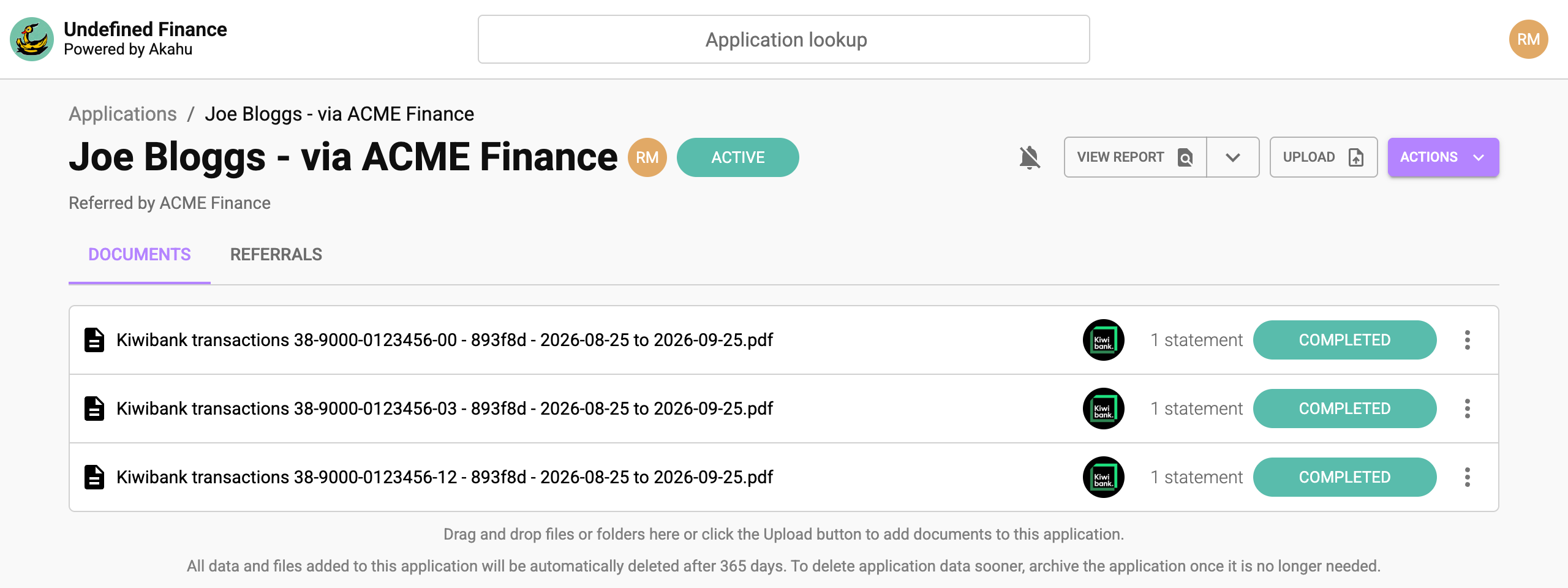
When you redeem a referral, a new Application will be created in your Akahu Apply account prepopulated with all data resources that were included in the referring organisation's Application at the time your referral code was generated.
Once a referral code has been redeemed, you can interact with the resulting Application as usual: You can generate and view reports (which will include any customisations configured for your organisation), add and remove documents, or send a Sharing Request to collect additional data from the applicant.
You can redeem the same referral code multiple times. Each time you redeem a referral code, a new, independent Application will be created in your Akahu Apply account.
Don't forget to archive Applications once you've finished working with them to avoid unnecessary data retention.
Redeeming a referral via API
-
Begin the redemption process by submitting a referral code to the
POST /v1/referral-redemptionsendpoint. -
Wait for the redemption process to complete by polling the
GET /v1/referral-redemptions/{redemptionId}endpoint. The redemption process will complete within a few seconds. -
Once the redemption process has completed successfully (identified by a
statusofcompleted), the response will include an Application ID in the_applicationparameter. This ID refers to a newly created Application that has been prepopulated with the referral data. -
Generate a Report for the Application using the
POST /v1/applications/{applicationId}/reportsendpoint.
Redeeming a referral using the Akahu Apply portal
- On the Applications page, click Redeem referral.

- Enter the referral code that starts with
AK_. You can also enter a reference for the new Application. If you leave it blank, the reference supplied with the referral is used.
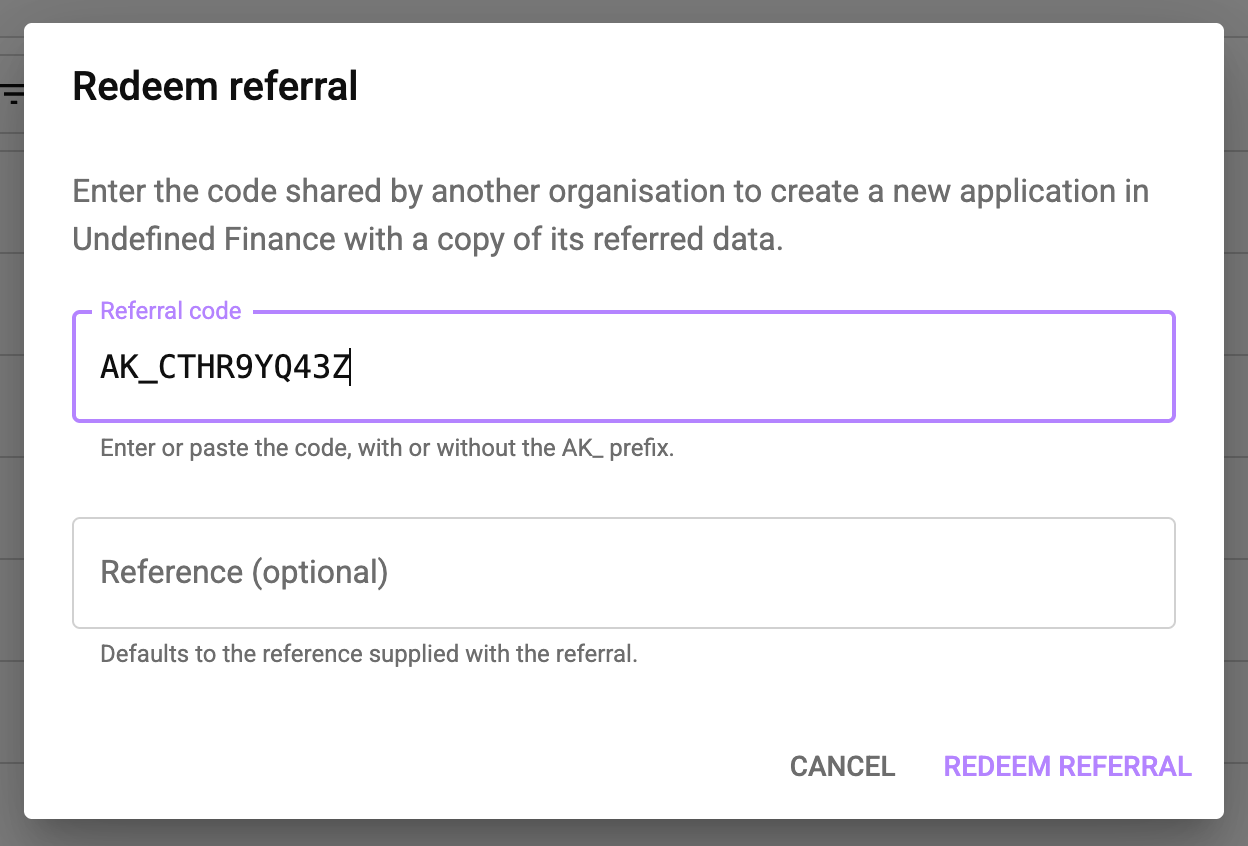
- Click Redeem referral. Akahu Apply copies the referral data into a new Application and opens it when it's ready, usually within a few seconds. The Application shows which organisation referred it.
Updated 15 days ago